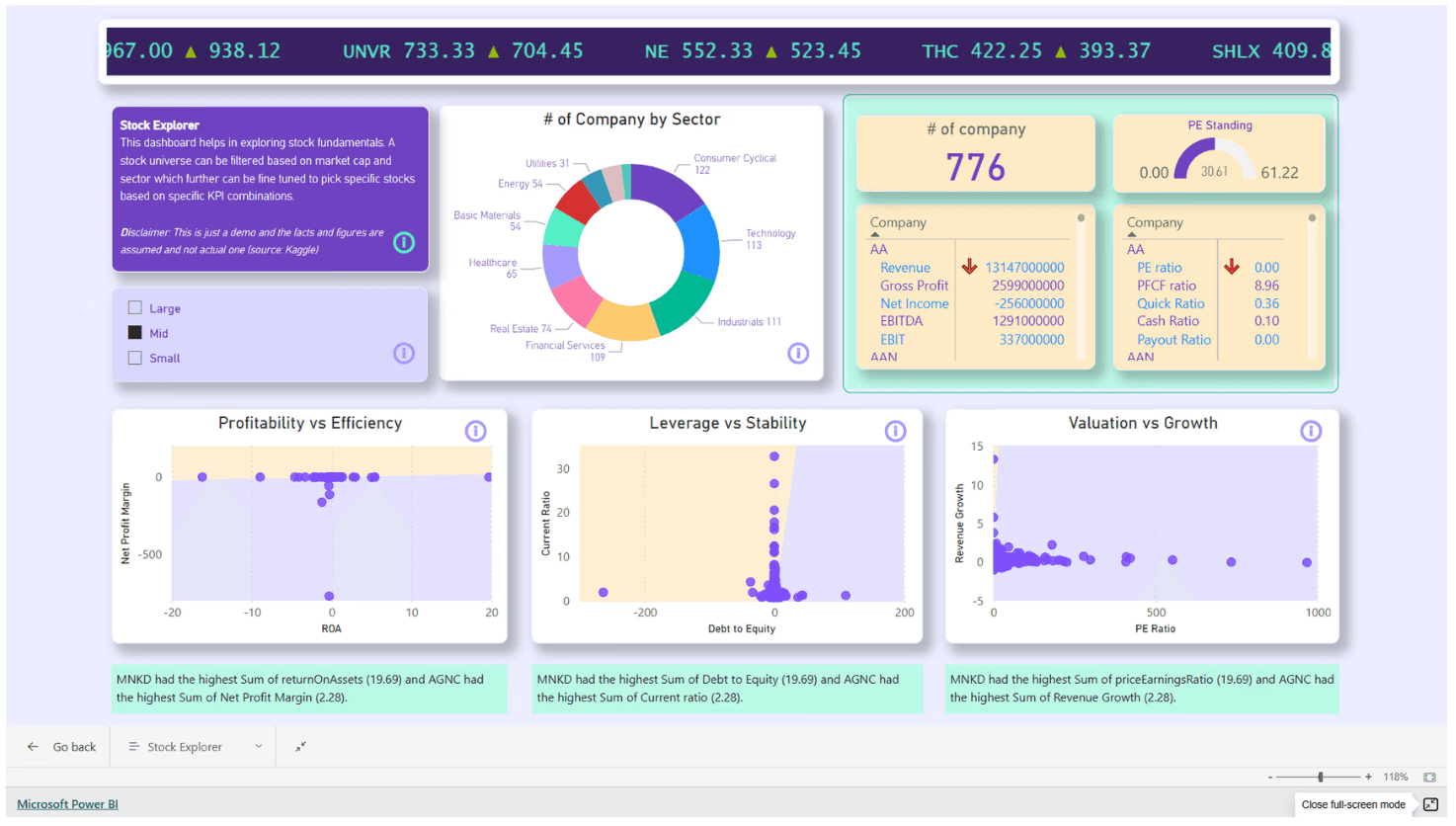
Why Microsoft Fabric?
In today’s data-driven world, organizations are generating massive amounts of data from multiple sources: sales, customer interactions, social media, IoT devices, and more. The real challenge is transforming this raw data into meaningful insights efficiently and effectively.
Modern businesses generate data everywhere: applications, databases, files, sensors and cloud systems. The challenge is no longer collecting data but in making sense out of data - quickly and reliably. Microsoft Fabric brings all these pieces together into one unified analytics platform, reducing complexity and speeding up decision-making.
What Is Microsoft Fabric?
Microsoft Fabric is an all-in-one analytics solution designed for the era of AI. It combines multiple data services like Azure Data Factory, Synapse Analytics, Power BI and Data Activator into a single Software-as-a-Service (SaaS) platform, giving a fully integrated experience to manage the entire data lifecycle.
Instead of stitching together multiple products, Fabric offers a single environment where data can be ingested, stored, transformed, analyzed, visualized and even acted upon. Think of Microsoft Fabric as a single workspace for your entire data journey—from raw data to business insight.
Key Features:
Unified platform: For data lakes, engineering, real-time analytics and business intelligence
Lake-centric and open: Built on OneLake, supporting open data formats
AI-powered: Integrates AI models and Copilot features for intelligent data operations
Low-code/no-code and pro-code: Designed for both business users and data professionals
You don’t need to worry about infrastructure, servers, or complex setups, Microsoft Fabric handles the heavy lifting while you focus on using data.
Core Components of Microsoft Fabric
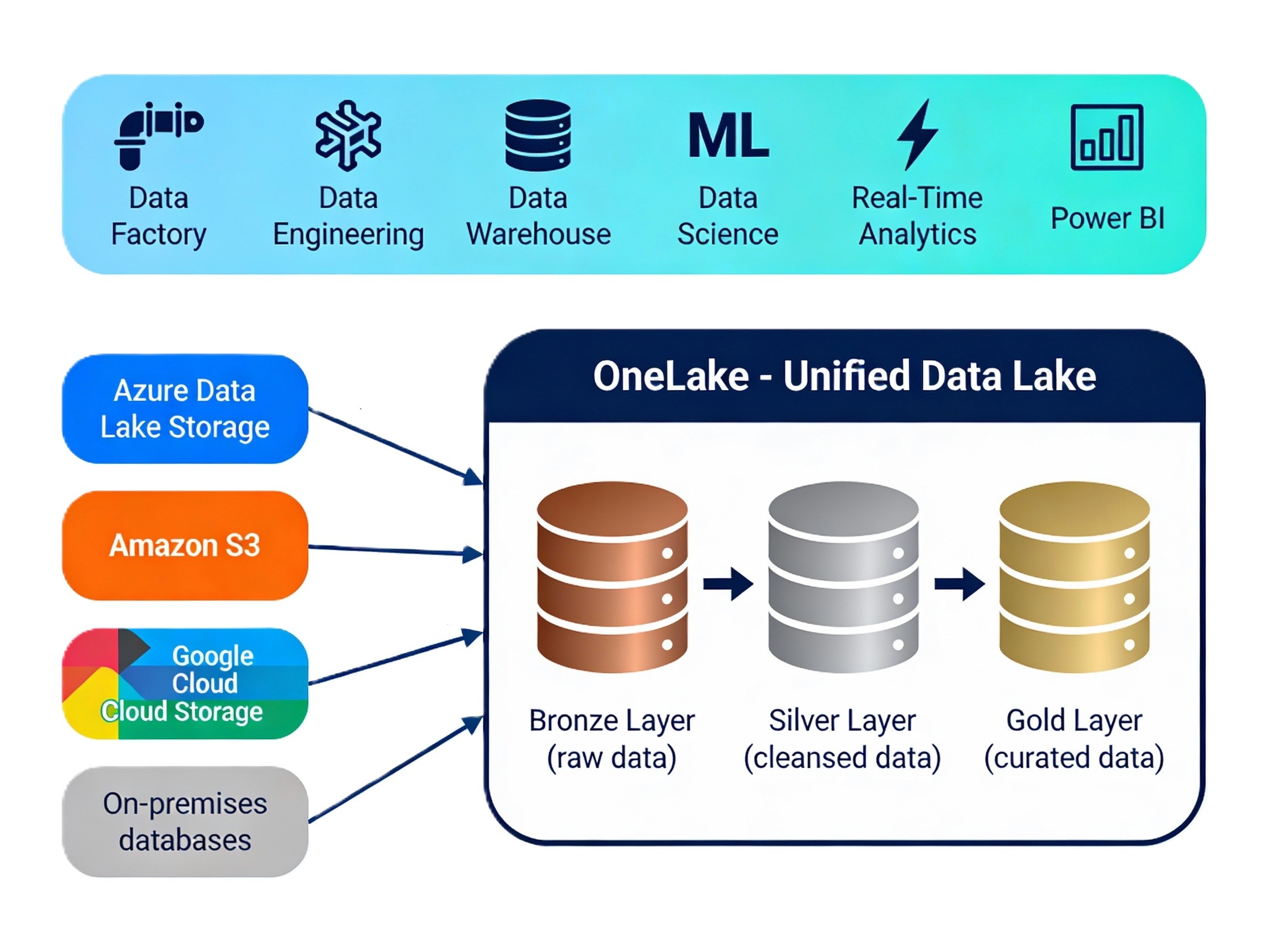
1. OneLake (Unified Data Lake)
OneLake is the backbone of Microsoft Fabric’s data storage. It functions like a single data lake for your entire organization, making data universally accessible across tools and teams, be it raw, processed or curated data. This reduces storage costs, avoids duplication and ensures everyone is working with a single source of truth.
Central storage layer for all services in Fabric
Supports open formats like Delta Lake and Parquet
Automatically organized by domains and workspaces
2. Data Factory
This is Fabric’s data integration service, allowing for building data pipelines to ingest and transform data from various sources. Whether it’s a database, an API, or a simple Excel file, Data Factory ensures your data arrives reliably and on time.
Drag-and-drop interface for low-code development
Hundreds of connectors to databases, cloud services, and flat files
Advanced data transformation with dataflows and mapping data flows
3. Synapse
Data Engineering:
This is where raw, messy data is cleaned, structured, and made ready for analysis so teams can trust what they are working with. Synapse Data Engineering allows teams to run Spark and SQL-based workflows within Fabric. Some use cases:
Data transformation
Data preparation for machine learning
Handling big data operations with distributed processing
Data Science
Empowers data scientists to build, train and deploy machine learning models directly within Fabric.
Integrated notebook support
ML model tracking and deployment
Collaborative work with engineers and analysts
Real-Time Analytics
This service supports real-time ingestion and analysis of streaming data, which is vital for monitoring alerts and real-time dashboards. Key highlights:
Supports telemetry, logs and clickstream data
Real-time queries with low latency
6. Power BI
Power BI is fully embedded into Microsoft Fabric. It allows users to create rich, interactive reports and dashboards based on data stored in OneLake.
Truly democratizes data analytics
Drag-and-drop dashboard creation
Native integration with Microsoft 365 and Teams
7. Data Activator
A new tool that brings automation to insights. It listens to your data and automatically triggers actions like notifications or process flows. You don’t need to constantly monitor dashboards—Fabric does it for you. For example:
Send alerts if inventory drops below threshold
Trigger workflows when customer satisfaction dips
This role-based design ensures everyone—from engineers to business leaders—works in the same ecosystem without stepping on each other’s toes.
Understanding the Data Journey in Fabric
It usually starts with data being pulled from different systems into Fabric. Once inside, that data is stored centrally in OneLake, ensuring everyone sees the same version. From there, the data is cleaned and shaped so it becomes reliable. Finally, it’s visualized in Power BI, where insights are shared and decisions are made. If needed, those insights can even trigger automatic actions.
Data doesn’t jump between tools—it flows naturally within Fabric.
This end-to-end flow is what makes Fabric feel cohesive rather than fragmented.
Lakehouse Vs Warehouse
A Lakehouse is useful when you’re not sure yet how the data will be used. It’s flexible, scalable, and ideal for storing large volumes of raw or semi-structured data. A Data Warehouse, on the other hand, is designed for clarity and performance. It’s perfect when your data is already structured and ready for reporting and business analysis.
Microsoft Fabric supports both because real businesses need both flexibility and structure—often at the same time. Fabric includes a powerful, cloud-native data warehouse engine that supports:
Large-scale SQL processing
Star/snowflake schema modeling
Real-time dashboards on top of warehouse tables
Unlike traditional warehouses, this one shares the same storage with Lakehouse and supports both structured and semi-structured data.
Data Science and Machine Learning in Fabric
Microsoft Fabric also supports data science workflows. Data scientists can explore data, build models and run experiments directly within the platform. Because the data already lives in OneLake, there’s no need to move or duplicate it.
This tight integration between data engineering and data science reduces friction and speeds up innovation.
Security and Governance
Microsoft Fabric includes strong security and governance features. This means teams can move fast without losing control—a balance many organizations struggle to achieve.
Role-based access ensures people see only what they should
Data lineage helps teams understand where data comes from and how it’s used
Governance tools ensure compliance without slowing teams down
Collaboration and Productivity for teams
Microsoft Fabric is deeply integrated with Microsoft 365 and is designed for collaboration. Data engineers, analysts, scientists, and business users can all work in the same environment, using tools tailored to their needs, without creating silos. This shared experience reduces miscommunication and accelerates insight delivery.
Share reports in Microsoft Teams
Use Excel to analyze OneLake data
Co-author notebooks in real-time
This boosts collaboration across departments, especially between technical and non-technical users.
Future Trends and Vision
Microsoft Fabric is designed with the future in mind:
AI-first development with Copilot features
Unified semantic models shared across reports and apps
Open ecosystem to connect with Dataverse, Dynamics 365, Azure ML, and beyond
Pay-as-you-go model to reduce infrastructure costs
It’s not just a tool—it’s a new way of thinking about analytics.
Conclusion
Microsoft Fabric is not just another data platform—it represents a shift in how organizations think about data. What makes Fabric truly powerful is not any one feature—it’s the way everything connects. OneLake creates a shared foundation, data engineering, analytics, data science and reporting work off the same data. Real-time insights and automated actions ensure that analytics actually lead to outcomes, not just presentations.
Most importantly, Microsoft Fabric lowers the barrier to working with data. You don’t need to be an expert to start. You can begin small—load a file, build a report, explore insights—and grow naturally as your needs evolve.
Fabric meets you where you are, whether you’re a business user, an analyst or a data professional.
Looking for answers ?
We’d love to help. Contact us today and let’s build something extraordinary together.
About author
Growth Strategist

Nitish Kumar
Lead Consultant
Get AI & data insights — straight to your inbox
Sign up to get the most recent blog articles in your email every week.